Frequently asked questions
How Agepix ages your face, makes your age video, restyles and sharpens photos and erases objects — where your photos go, languages and support.
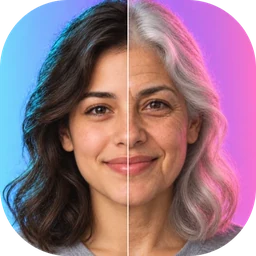
Agepix is an AI photo app built around your face. Face Aging shows you at an age you pick, from Kid to your 90s. Journey turns one selfie into a short video of you through six ages. AI Art restyles your selfie as anime, painting, 3D or a professional portrait. Enhance HD makes a blurry or small photo sharper and bigger, and Object Remove erases what you brush over.
Take a selfie with your phone’s camera or pick a photo from your albums, choose Female or Male and pick an age. Agepix checks that the photo shows one clear face, then the AI creates your face at that age — usually in 10–20 seconds. On the result you can try another age, save, share or make your age video.
Face the camera with your eyes open and good light; no sunglasses, masks, filters or heavy edits. Use your own photo, or one you have permission to use. Photos of children or celebrities, and nudity, violence or offensive content are not allowed. Agepix tells you when it finds no face, more than one face or a photo that is too small, so you can choose another.
Journey makes a short video of you growing older: one photo in, a clip of you through six ages. It takes about a minute. You can also start it from a Face Aging result with “Make my age video”.
AI Art applies a style to your selfie — anime and manga, painting and art, 3D and cartoon, or a professional portrait. Enhance HD either makes a photo sharper (fixes blur and brings back details) or bigger (upscales it and keeps it crisp). Object Remove lets you paint over people or things you don’t want and fills in the background; Undo and Redo fix a stroke.
To create a result, the photo you choose is sent to our AI service over the internet, which needs a connection. Your results are saved in History on your phone, where you can open, share or delete them; Save puts a copy in your gallery. Agepix doesn’t need access to your camera or photo library: it uses Android’s own camera and photo picker, so it only sees the photo you choose. See the Privacy Policy for details.
No. The aged faces, videos and styles are created by AI for fun and creativity — they are not a prediction of how you will look, nor medical or any other advice.
Try another photo with a clear, well-lit face, or report the result from the result screen (offensive, sexual, violent content or “doesn’t look like me”). Reports help us improve the results.
English, العربية, Български, Čeština, Deutsch, Ελληνικά, Español, Français, हिन्दी, Magyar, Bahasa Indonesia, Italiano, 日本語, Nederlands, Polski, Português, Română, Русский, Türkçe and Tiếng Việt.
Yes, if you allow notifications: when you leave the app while a result is being made, Agepix lets you know it’s ready. You can turn notifications off in your phone’s settings at any time.
Email nuclear.backup.260126@outlook.com with your device model, your Android version and the app version.
Still have a question?
Email us with your device model, Android version and app version.